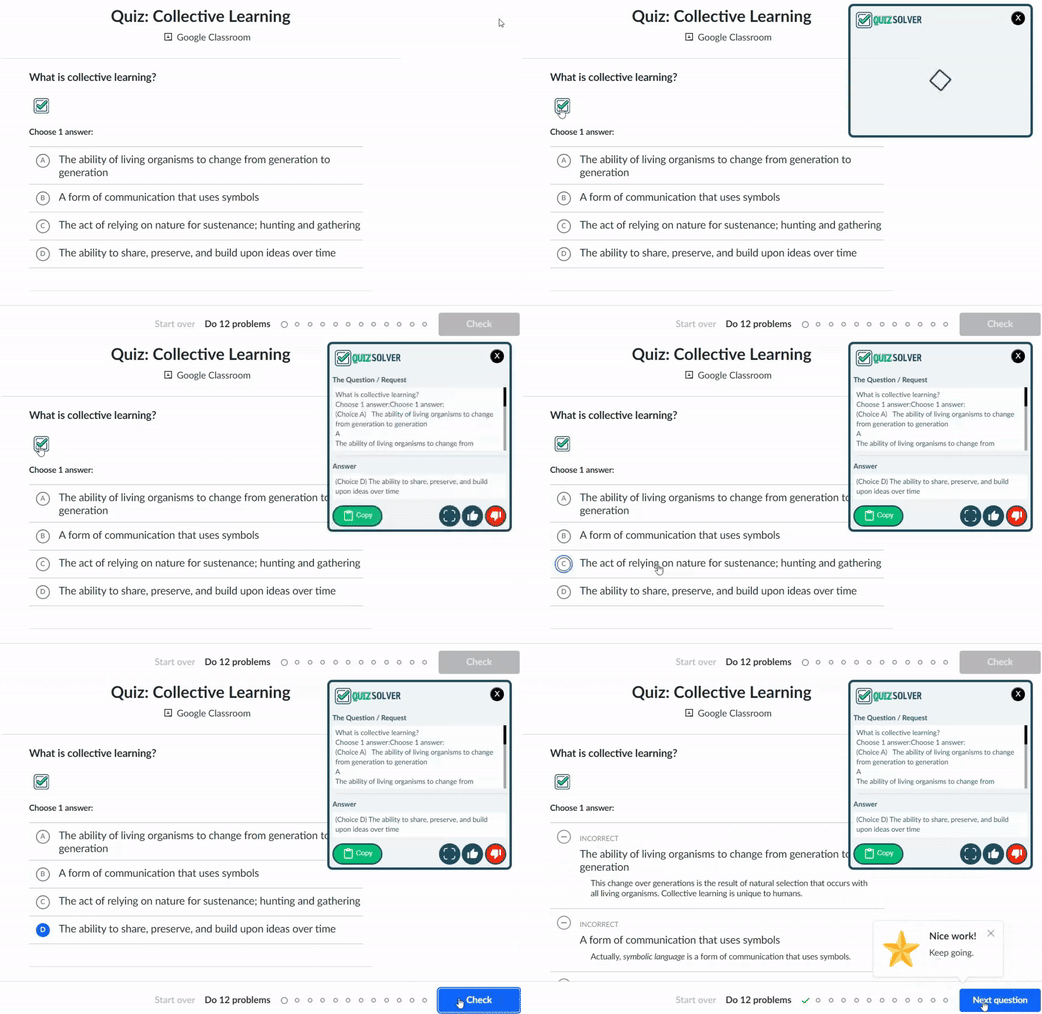
TRUSTED BY STUDENTS ON 20+ LMS & LEARNING PLATFORMS
Works on real learning platforms students use every day - no copy-paste needed.




From smart detection to image solving - discover the tools that make QuizSolver the ultimate study companion.
Auto-detects questions on 20+ quiz platforms
Learn more →Screenshot any question - even from PDFs & images
Learn more →Advanced GPT models for accurate answers
Learn more →Discreet interface that blends into any page
Learn more →Solve, explain, calculate, translate & more
Learn more →Ctrl+Shift+Q for instant QuickSnap access
Learn more →Built for quizzes, assignments, and LMS assessments. Install once, open your quiz on any supported website, and get help in seconds - with a privacy-first approach.
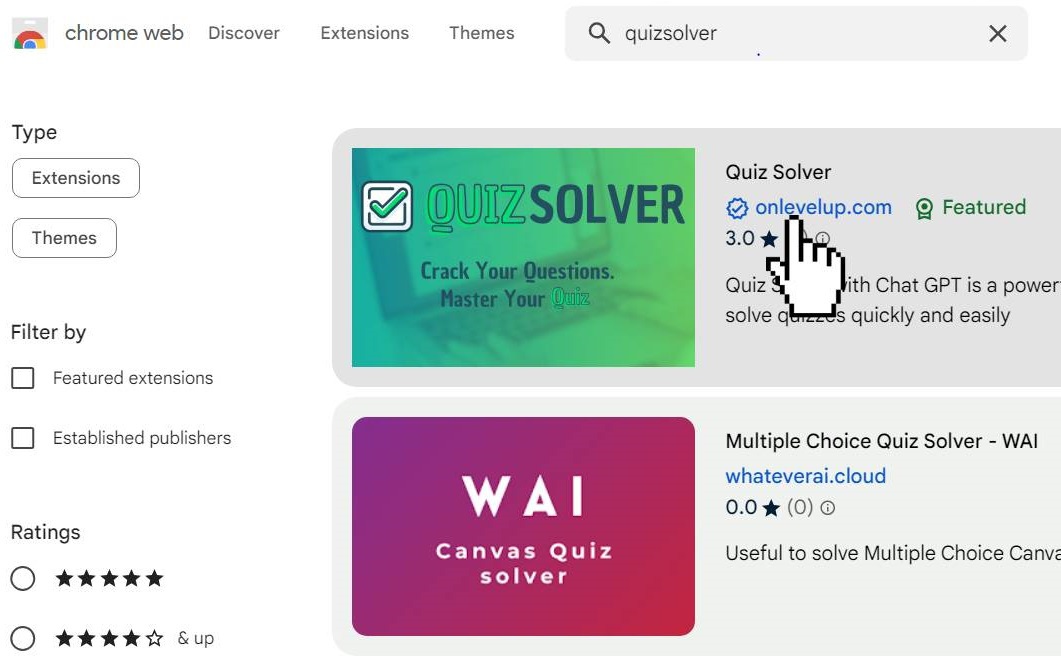
Head to the Chrome Web Store, search “QuizSolver”, and add the extension to your browser in a few clicks.
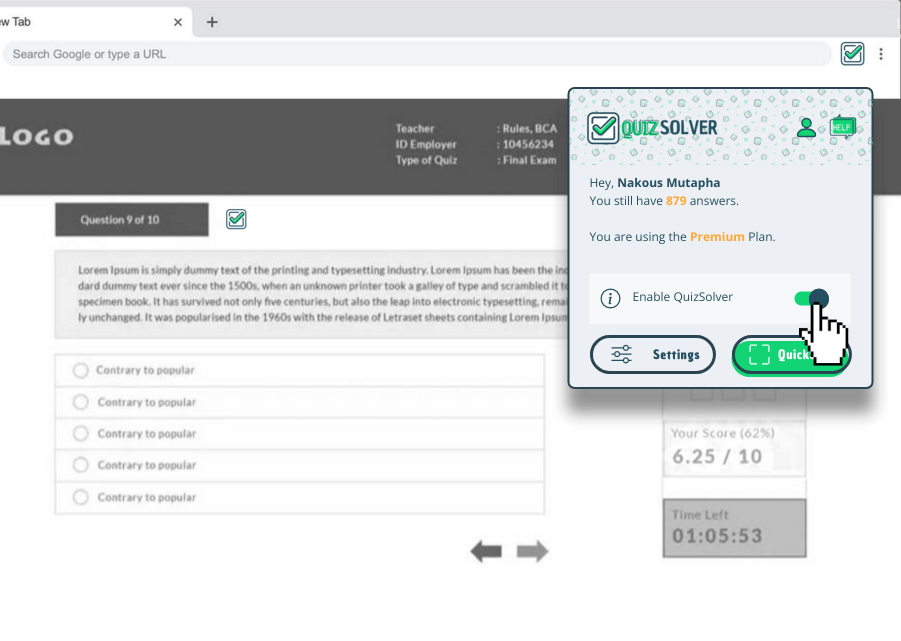
Open any quiz, homework, exam practice, or LMS assessment on a supported platform or website.
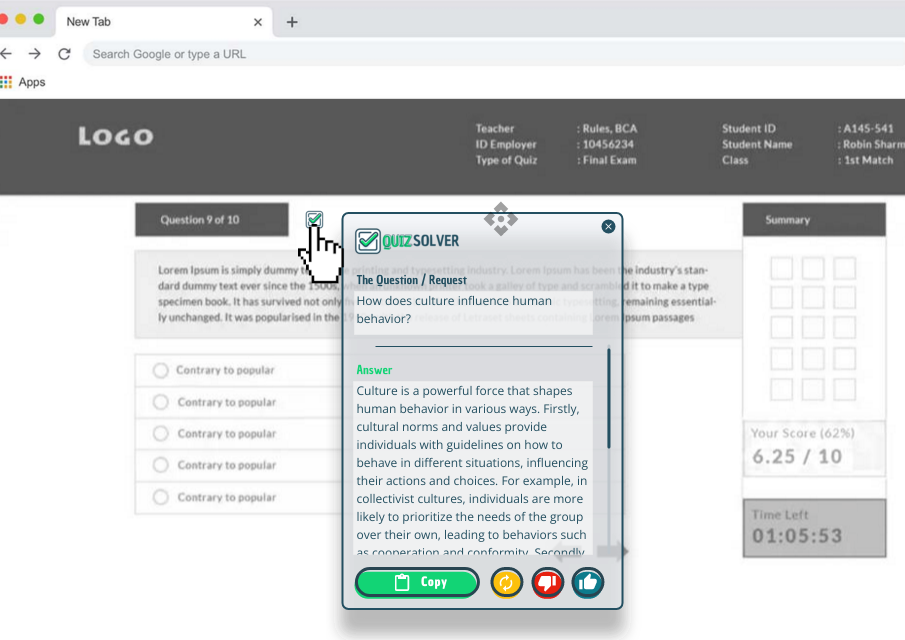
QuizSolver analyzes the question context and answer choices, then generates a clear response you can use to move forward.
Get faster answers with a tool designed for structured questions - with clear privacy principles and broad compatibility.
See why students prefer QuizSolver over copy-pasting to ChatGPT
| Feature |
 QuizSolver AI
|
ChatGPT / Generic AI |
|---|---|---|
| Auto-detect questions from page | Yes | No - manual copy |
| Screenshot to solution (QuickSnap) | Built-in | Not available |
| Works directly on quiz pages | Yes | Separate tab |
| Keyboard shortcuts | Ctrl+Shift+Q | None |
| Discreet Ghost Mode | Yes | No |
| Optimized for quiz formats | Specialized | Generic |
| Free tier available | Yes | Limited |
Real reviews from the Chrome Web Store. Results may vary depending on the platform and question format.
"Genuinely a good product. I paid $10 for the paid version and it was actually an amazing purchase. Normally never write reviews, but this is actually a good deal."
"Even when it's wrong, it often points me in the right direction. The ability to use the image to text function is a good feature."
"Quiz Solver has been a game-changer for me. It's saved me so much time and stress. Highly recommend!"
We're students and educators who built the tool we wished existed. QuizSolver respects your privacy, time, and learning goals.
Your questions stay yours. We don't store quiz content, sell data, or track what you study. Process locally, answer instantly.
Designed for real academic scenarios - LMS quizzes, homework, practice tests, and study sessions that students actually face.
We listen to real user feedback and continuously update platform compatibility, AI accuracy, and new features you request.
One account, every browser. Install QuizSolver in seconds and start solving.
Pick a plan that matches your study rhythm. Cancel anytime.
Everything students ask about AI homework tools, answered honestly.
Visit the Chrome Web Store, search "QuizSolver", and click "Add to Chrome". Installation takes seconds - no account required to start using the free features immediately.
QuizSolver works on 20+ platforms including Canvas, Blackboard, Moodle, Google Forms, Microsoft Forms, Quizlet, Kahoot, Coursera, edX, and most custom quiz websites.
Unlike ChatGPT where you copy-paste questions, QuizSolver auto-detects questions directly from the page, works within your quiz interface, and offers specialized features like QuickSnap screenshot solving and Ghost Mode.
Yes! QuizSolver excels at math including algebra, calculus, geometry, statistics, and more. Use the "Mathematical Calculations" request type for step-by-step solutions with work shown.
QuickSnap lets you screenshot any question - from images, PDFs, protected pages, or even handwritten notes. Press Ctrl+Shift+Q, select the area, and get your answer. Perfect for content you can't select or copy.
QuizSolver runs as a standard Chrome extension. It doesn't inject visible elements into quiz pages. Ghost Mode makes the interface minimal. However, always check your institution's policies regarding browser extensions during assessments.
Absolutely. We use a privacy-first approach with secure data transfer. We don't store your quiz content or sell personal information. Questions are processed in real-time and not retained on our servers.
QuizSolver uses advanced AI models optimized for educational content. Accuracy depends on question clarity and context. While highly accurate for most subjects, we recommend verifying important answers. AI responses cannot be guaranteed 100% accurate.
Yes! The free QuizKick plan includes all core features with a generous daily limit. Upgrade to QuizMaster for unlimited solves, priority processing, and premium features. Cancel your subscription anytime - no long-term commitments.
QuizSolver is a digital service - once a subscription is activated and credits are delivered, sales are final. However, you can cancel anytime to stop future renewals. Refunds may be considered only for verified technical issues that completely prevented service access. Read full policy
Cancel anytime via your account dashboard or the Stripe billing portal. After cancellation, your subscription remains active until the end of your paid period - no future charges will occur. Cancellation doesn't reverse a completed charge but stops all future renewals.
Yes, all subscriptions renew automatically to ensure uninterrupted service. To avoid renewal charges, cancel before your renewal date. You can check your next billing date in your account dashboard. Forgetting to cancel before renewal does not qualify for a refund.
Yes! Use the "Explain" request type for detailed breakdowns, or "Rewrite" to improve your writing. QuizSolver can suggest essay structure, thesis statements, and content ideas. Great for homework help beyond just multiple-choice quizzes.
Virtually all academic subjects: Math, Science (Physics, Chemistry, Biology), History, Literature, Languages, Computer Science, Business, Economics, Psychology, and standardized test prep (SAT, ACT, GRE, GMAT, etc.).
AI accuracy depends on question clarity, input quality, and context provided. Some questions may have multiple interpretations. Always verify important answers. Incorrect or unsatisfactory AI answers do not qualify for refunds - use QuizSolver as a study aid alongside your own judgment.
Try these solutions: 1) Use QuickSnap Mode (Ctrl+Shift+Q) to screenshot the question, 2) Use Smart Highlight to select text manually, 3) Clear browser cache and reload, 4) Reinstall the extension. If issues persist, contact support with details.
QuizSolver is designed as a study aid and learning tool. Always check and follow your institution's academic integrity policies. We recommend using QuizSolver for practice, homework help, and study - and verifying answers yourself. Responsible use leads to better learning outcomes.
Once credits are delivered, the service is considered fulfilled regardless of usage. Non-usage does not qualify for a refund. To avoid future charges, cancel your subscription before the renewal date. We recommend setting a reminder before your billing date.
We're here to help! Reach out and we'll respond within 24 hours.
We typically respond within 24-48 hours.
Install once, study faster, and keep your workflow simple.